Independent IFS Cloud practice · Implementation governance
An IFS Cloud decision register: approve a decision once, and keep it approved
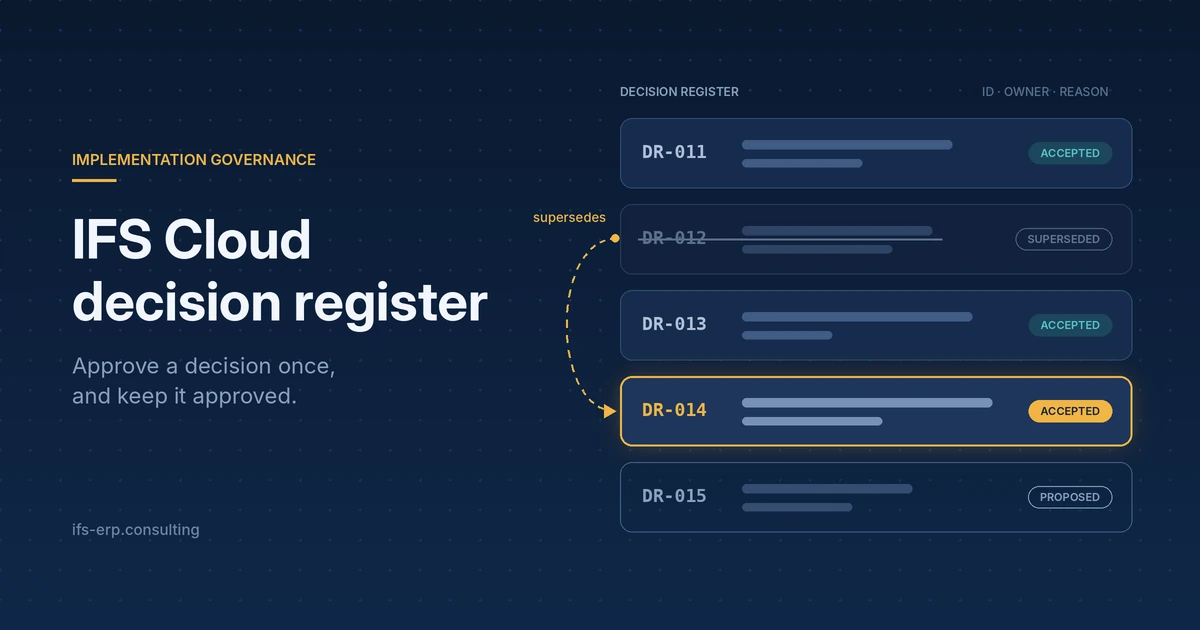
An IFS Cloud decision register is one dated list of project decisions, each with an owner, the options considered, the reason and a status. It exists so that a decision approved at a workshop is not taken again at UAT by people who were not in the room.
Key takeaways
- The register holds only decisions that change scope, the choice between configuration, extension and core change, data ownership or data rules, permission design, the cut-over plan, or an earlier decision. Everything else stays in the minutes.
- Every entry carries an owner, a date, the options considered and the reason, because the reason is what a newcomer needs in order not to reopen the decision.
- Entries are never deleted or overwritten. A new entry names the one it supersedes, and the old entry names its successor.
- A decision reopens only with new evidence, through a person with the authority, citing the entry number, at the forum that accepted it.
- The register lives outside IFS Cloud. The decision ID goes into the description of the configuration or extension it explains.
1.Why do approved decisions come back?
Decisions come back because the project has no single place where a decision stands. At a UAT session, a key user opens a screen and says the approval step was never agreed. The project manager remembers a workshop and the consultant an email, while the sponsor joined after the workshop and remembers nothing. Nobody is lying: the decision exists in three heads and two mailboxes, and none of them is the record.
Four mechanisms produce this, and each can be removed:
- The decision lives in personal notes or memory, not in a shared record.
- The people change: a new sponsor, a replaced key user, a consultant who rolled off the project.
- The reason was never written next to the decision, so a newcomer sees the consequence, for example an extra approval step, but not the choice behind it.
- Nobody defined who may reopen a decision, so anyone with a complaint can.
Each repeat costs steering committee time and key user time. A decision reversed quietly, without anyone noting it, returns as a change request late in the project, when every change means rebuild, retest and retraining. Repeated deciding is one cause that the list in why IFS Cloud implementations fail does not cover, and its visible symptom is the decision paralysis described in red flags in IFS Cloud consulting. UAT is where it surfaces first, because that is where users meet the result of decisions they never saw being made: see UAT in IFS Cloud projects.
2.What belongs in the register, and what stays in the minutes?
The register is not a record of meetings. An item earns an entry when it does one of these things:
- changes the scope of the project
- chooses between configuration, extension and a change in the core
- assigns ownership of data or sets a data rule
- shapes permission sets or segregation of duties
- sets or changes the cut-over plan
- reverses an earlier decision
Attendance, discussion and action items stay in the minutes. If the register copies them, it grows until nobody reads it.
A fit-to-standard workshop produces the raw material: a decision with an owner and a date. A dispute about what “standard” means is a typical source of an entry, and the article on the word standard shows how that dispute starts. A signed fit-gap is another: requirements before build covers why the gap decision needs a signature. The choice between configuration and extension, in turn, has its own consequences for upgrades, discussed in strategic IFS Cloud customization.
3.Which fields does a register entry need?
An entry needs eleven fields, and each one answers a question someone will ask later.
| Field | Why it is there |
|---|---|
| ID | A stable reference that can be quoted in a meeting, a change request, a test script and a configuration description |
| Date | Shows which version of the facts the decision was based on |
| Area | The workstream (procurement, inventory, finance, data migration), so owners find their own decisions |
| Decision | One or two sentences, written so that it can be tested |
| Options considered | Stops a newcomer from proposing an alternative that was already rejected |
| Reason | The argument that won, in plain words, which a newcomer reads before challenging the decision |
| Decided by | Role and name, so the authority is visible |
| Consequences | Cost to build, cost to maintain, and the effect on updates |
| Status | Proposed, accepted or superseded |
| Links | Which entry it supersedes or is superseded by, the change request, the test script and the configuration object it explains |
| Review date or event | The moment the decision is checked again, such as after the next update or after first period-end close |
4.How do statuses and superseding work?
A decision has one of three statuses: proposed, accepted or superseded. The rule that keeps the history honest is that an entry is never deleted and never overwritten. When the decision changes, a new entry is written, it names the entry it supersedes, and the old entry gets the status superseded and points to its successor.
The pattern is borrowed from architecture decision records, a practice from software engineering described by Michael Nygard in Documenting Architecture Decisions (2011). I have found no public IFS source and no ERP-specific template for a decision register, so what follows is my own practice built on that pattern. It is not IFS methodology and I do not present it as one.
5.Who decides what?
A register works only if each type of decision has a named owner who may accept it. This split is a proposal to adapt in your project, not an IFS standard.
| Type of decision | Proposed decision owner |
|---|---|
| How a process runs in the system | Process owner |
| Scope and cost | Steering committee |
| Data rules and data ownership | Data owner |
| Priorities between requests | Product owner |
The register also needs its own keeper, one person who checks that entries are complete and current. The meeting rhythm in which these owners meet is a separate subject, covered in governance cadence.
6.What is the rule for reopening a decision?
A decision may be reopened only when four conditions hold.
- New evidence exists. A changed regulation, a test result, a cost that turned out different. A preference alone does not count.
- The person has the authority. The decision owner for that type of decision, or the steering committee.
- The entry number is quoted. The request says which entry it challenges.
- The same forum decides. The body that accepted the decision is the one that revisits it.
The old entry then becomes superseded and stays in the register. The conversation changes from “we are discussing this again” to “what changed since entry DR-014”, and that second question can be answered in one sentence or not at all. It also keeps the register from turning into a blame log, because the record shows what was known on the day, not who was wrong.
7.What does a finished entry look like?
The entry below is illustrative, not a client record. It shows the level of detail that lets a newcomer understand the decision in five minutes.
| Field | Illustrative entry |
|---|---|
| ID | DR-014 |
| Date | 2026-03-12 |
| Area | Procurement |
| Decision | Purchase order approval levels are set per site, with one approval matrix owned by each site purchasing manager. |
| Options considered | One approval matrix for the whole company. Approval levels per site. A custom approval workflow with rules by supplier group. |
| Reason | Sites differ in organisation and in who holds purchasing authority. A single matrix would not fit them, and a custom workflow would add a maintenance cost with no process need behind it. |
| Decided by | Procurement process owner, confirmed by the steering committee |
| Consequences | Standard configuration only, no development. Each site maintains its own matrix when its buyer organisation changes. No custom objects to retest at an update. |
| Status | Accepted |
| Links | Supersedes none. Test script for purchase order approval. Referenced in the description of the approval configuration. |
| Review date or event | After the first period-end close, and after the next IFS Cloud update |
8.Where should the register live?
The register belongs outside IFS Cloud, in a shared list or document with change history that key users and the sponsor can open. It is a project artefact, so nothing has to be created in IFS to hold it, and nothing in the customer system changes because of it.
The link back into the system is the decision ID. Write it into the description of the configuration or extension the decision explains, in whatever place your team already documents those objects. A developer who maintains that extension two years later then finds the reason from the object itself, without searching mailboxes.
9.What happens at updates and after go-live?
IFS Cloud ships two release updates a year, and a new standard function can replace a workaround that a decision once approved. For that reason every decision that bypasses standard gets a review event “after the next update”. The inventory work before each release is described in IFS Cloud upgrade readiness, and the register tells that inventory why each extension exists.
At go-live the register is handed to support together with its open items: proposed decisions, decisions with a pending review event, and the keeper’s name. The support team then inherits the reasons as well as the system. The risks of that handover are covered in the finish line: a risk handover.
10.How does a decision register fail?
A register fails in four recognisable ways.
- Cemetery: it collects every small choice, so nobody reads it. The cure is the scope test in section 2.
- No keeper: entries are incomplete and statuses are stale because nobody is responsible for them.
- Written after the fact: entries reconstructed from memory before UAT carry the same disputes the register was meant to prevent. An entry is written the same day the decision is made.
- Never quoted: if UAT and steering meetings do not refer to entry numbers, the register is an archive and not a working tool.
The simplest hygiene rule is to make the first item of every steering meeting “decisions since last time”. When a decision stops being specific to the project and becomes a standing rule for data, processes or logic, it is promoted to the enterprise book of rules, which is explained in the enterprise book of rules. The book holds rules that apply permanently. The register holds dated decisions with their history.
11.Frequently asked questions
What is a decision register in an IFS Cloud implementation, and how is it different from meeting minutes?
A decision register in an IFS Cloud implementation is a single list of project decisions, each with an ID, date, owner, options considered, reason and status. Meeting minutes record what was discussed in one meeting. The register records only the decisions that change scope, configuration or extension choices, data rules, permissions or the cut-over plan, and it keeps them current across the whole project.
Who owns the register, and who is allowed to add or change an entry?
One named keeper owns the decision register and checks that entries are complete and current. Entries are accepted by the decision owner for their type: the process owner for how a process runs, the steering committee for scope and cost, the data owner for data rules, the product owner for priorities. An accepted entry is never edited. A change is a new entry that supersedes the old one.
How do we reopen a decision without turning the register into a blame log?
A decision in the register is reopened only with new evidence, through a person with the authority, quoting the entry number, at the forum that accepted it. The register then shows what was known on the day of the decision and what changed afterwards. It does not rank who was right, and the old entry stays as history with the status superseded.
Where should the register live: inside IFS Cloud or outside it?
The decision register should live outside IFS Cloud, in a shared list or document with change history. It is a project artefact and creates no object in the customer system. The link into IFS is the decision ID, written in the description of the configuration or extension that the decision explains.
How does the register relate to the change request log and the Book of Rules?
A change request asks for a change, and the decision register records the decision taken on it, so each entry can point to its change request. The Book of Rules holds standing rules for data, processes and logic. A decision that becomes a permanent rule is promoted from the register to the Book of Rules, while the register entry stays as the dated history of how the rule was reached.
What happens to the decision register after go-live?
After go-live the decision register is handed to the support team with its open items and its keeper. Decisions that bypass standard IFS Cloud functionality carry a review event after each update, because a new standard function can replace an approved workaround. Support then reads the reason for every extension from the register instead of asking the people who left.
12.About the author
Dariusz Myśliwiec: 18 years hands-on with IFS (Apps 7.5–10 and IFS Cloud). Based in Kraków, delivering remotely across Europe and globally through an independent practice. You talk to the consultant who does the work, not a sales layer.
IFS is a registered trademark of IFS AB; this practice is not affiliated with IFS AB.
Check your own project in three questions
Does every decision in your project have an owner and a date? Could someone who joined last week find the reason for a decision in five minutes? Does the team know how to reopen one? Each “no” is an open decision waiting to be taken twice.
Book a call about the open decisions in your project Read about governance cadence