Independent IFS Cloud practice · Expert notes
IFS Cloud tailoring levels, precisely defined: what Level 1, 2 and 3 actually cost at the next Evergreen release, and where the boundary really sits
Key takeaways
- The three tailoring levels are not a maturity ladder. They are three places to put logic, each with a different upgrade contract, and the consultant’s job is picking the lowest one that solves the problem.
- The boundary that matters is Level 2 versus Level 3: the Extensibility Framework stays additive and update-safe, while the Layered Application Architecture is where a release can genuinely break something you built.
- The same exception-detection rule looks structurally different depending on which level it lives in, and the difference shows up directly in what an R1 or R2 release can silently invalidate.
- A read-only external integration over OData is not on the tailoring-level ladder at all, and that absence is itself the strongest Clean Core position for a narrowly scoped problem.
Every IFS Cloud consultant has had the conversation where a client asks for “just a small customisation,” and the honest answer is that the size of the request has nothing to do with the size of the risk it creates at the next release. Under the Evergreen model, every customer moves forward whether they planned for it or not, and the cost of that motion is decided almost entirely by decisions made years earlier about where a piece of logic was allowed to live. This piece works through the three levels at the object level, one detection rule built both ways, the golden rules that keep the boundary honest, and a live case study of a Level 1 build with no object installed in the customer’s tenant.
1.Why tailoring levels exist under an Evergreen release model
Under the old on-premise model, a customisation lived until someone chose to touch it again. IFS Cloud’s Evergreen model removes that option: every customer moves forward through regular R1 and R2 releases, and anything built into the product has to survive that motion without a re-implementation project each time. Tailoring levels are IFS’s own answer to the question this forces: which categories of change can the platform guarantee will survive an upgrade, and which put that guarantee entirely on the implementer.
The practical consequence is that “does this work” stops being the only acceptance criterion for a design. “What does this cost at the next release, and who pays it” has to be answered at design time, not discovered during regression testing eighteen months later. The tailoring levels are the vocabulary for having that conversation precisely.
2.The three levels, defined at the object level rather than the marketing level
“Configuration versus customisation” is the phrase everyone uses, but it collapses two very different risk profiles into one word. The middle level is where most of the confusion, and most of the avoidable risk, actually sits.
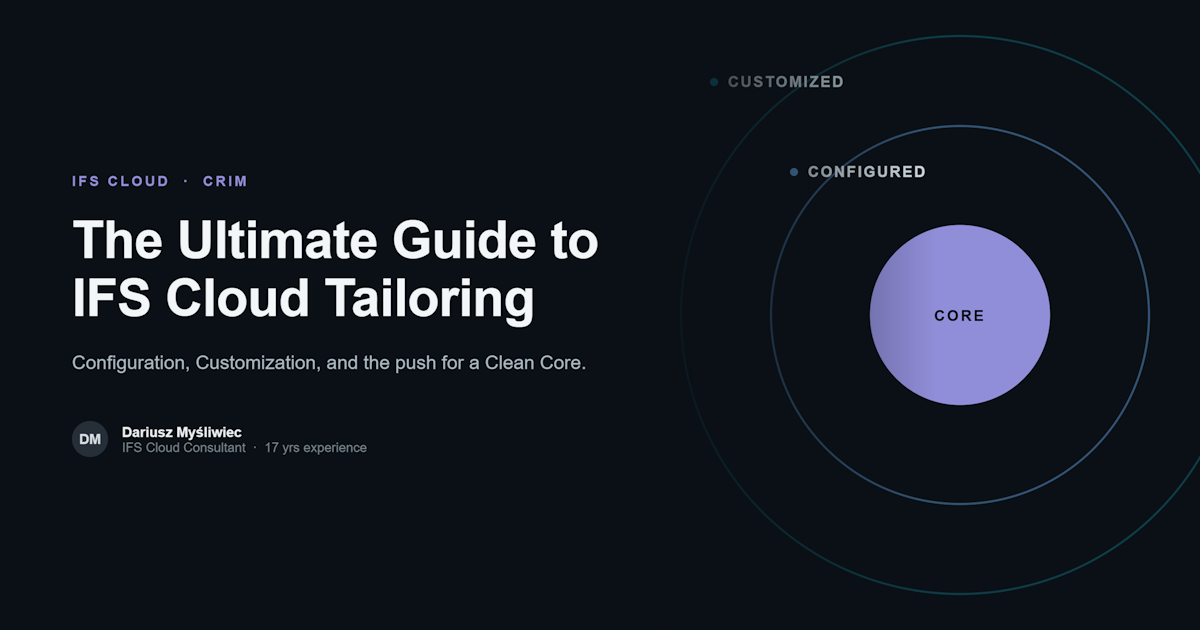
Level 1: Core, the Clean Core baseline
Standard IFS Cloud functionality, used as delivered: standard entities, standard projections, standard Lobbies, standard business logic. Nothing is added and nothing is overridden. This is the only level with zero implementer-owned upgrade exposure, because there is nothing implementer-owned to expose.
Level 2: Configured, extending on the outside
Everything reachable through the Extensibility Framework without touching a standard package or entity definition: Custom Fields, Custom Events, Lobby and page customisations, Solution Manager-driven parameter and Basic Data setup. A Custom Event is additive: it listens to a standard trigger point rather than rewriting it. IFS keeps this contract stable across releases in a way it does not commit to for anything built inside the standard package source, which is why this level is worth exhausting before Level 3.
Level 3: Customized, extending on the inside
Logic built into the Layered Application Architecture’s customer layer: an overridden or extended server method, a new column on a standard table, a PL/SQL package running inside IFS’s own execution context rather than beside it. LAA is genuinely designed to make this survivable, layering the customer’s code above the core layer so a release can update core without deleting it outright. What LAA cannot guarantee is that the customer layer keeps behaving correctly once the interface it was written against changes shape, which is the entire reason Level 3 exists as a separate, named category.
- 1 · Core - nowhere; standard objects only. An R1/R2 release changes nothing.
- 2 · Configured - additive Extensibility Framework objects (Custom Event, Custom Field, Lobby). A release can change what the trigger point exposes, but rarely deletes the object itself.
- 3 · Customized - LAA customer layer: overridden methods, custom columns, embedded PL/SQL. A release can silently change the interface the customer layer compiled against, breaking behaviour with no error at deployment time.
3.Worked mechanic: the same exception rule, built at Level 1 and at Level 3
Take a rule every purchasing organisation eventually asks for: flag a purchase order that was sent to a supplier and has not been confirmed after a set number of days. It is a simple enough condition that it gets built at every level in practice, and comparing the two extremes makes the tailoring-level distinction concrete instead of theoretical.
| Level 1 build: external, read-only | Level 3 build: LAA customer layer | |
|---|---|---|
| Query mechanism | OData $filter against a standard purchase order projection; nothing is written into IFS |
PL/SQL compiled against the standard package’s internal structure [VERIFY the exact method against the target release’s package interface before assuming it exists] |
| Where the rule lives | A versioned configuration record, field identifiers validated against the live $metadata document before activation |
A custom column on the order line plus a Custom Event, a second Level 3 change layered under the first |
| What happens when IFS changes the interface | A $metadata pre-flight check fails before the next scheduled run; everything the change did not touch keeps working |
Compiles cleanly and returns wrong results, or fails to compile outright; either way nothing alerts on its own, the silent-failure mode covered in this series’ debugging piece |
Both builds catch the same order today. The difference only shows up the day IFS ships a release that changes something the Level 3 package assumed about the package it sits beside, and by then it is a production incident, not a design review finding.
4.Three rules that keep the boundary honest under delivery pressure
The tailoring levels are easy to state and easy to violate quietly, usually in week three of a project when a workaround looks faster than the correct design. Three rules catch most of the violations that actually recur.
Never make a customization depend on a configuration
A Level 3 package that reads a value from a Level 2 or Basic Data screen creates a dependency its maintainer cannot see. A compiled package silently reading configuration turns an innocuous cleanup into an unannounced production defect. A tunable value a customisation needs belongs inside its own governed structure, not a screen someone else can edit.
Do not write complex SQL inside configuration tools
Condition expressions inside Custom Events and default-value expressions on Custom Fields exist for short, auditable conditions, not correlated subqueries and multi-table joins [VERIFY expression syntax and limits for your IFS
Cloud release before relying on this]. Logic complex enough to need a join belongs in a proper Level 3 build with code review and a test suite, or does not belong inside IFS at all, a candidate for the external, read-only design covered in this series’ piece on OData monitoring design.
Treat configurations as code, through the repository
Solution Manager and Lifecycle Experience export configuration as versionable artefacts for a reason. A Custom Event, a Lobby layout, a set of Basic Data values encoding business rules deserve the same discipline as a Level 3 package: exported, committed, reviewed, reproducible from source rather than reconstructed from memory. Configuration drift between repository and live tenant is close to universal in engagements this practice has reviewed, and it is a review finding, not a platform flaw.
5.What a tailoring-level review actually finds
A recurring pattern: a Level 3 PL/SQL package that decides whether to raise an exception by checking a value maintained in a Basic Data table edited through a standard configuration screen, exactly the dependency the first golden rule forbids. The package was correct on the day it was written. Then a routine data-cleanup exercise renamed the value its WHERE clause matched on. It kept compiling and running on schedule, simply stopped returning rows, and the silent failure went unnoticed for months. The finding on review is never “the platform failed”; it is always “a Level 3 build was allowed to read a Level 2 surface, and nothing noticed when that surface moved.”
The fix is rarely a rewrite. It is almost always a relocation: move the tunable value into the customisation’s own governed table, or pass it explicitly at deployment time, and add a check that fails loudly if the expected configuration state is missing rather than silently returning zero rows.
6.The financial angle behind the tailoring-level trade-off
This practice’s reference figure for that trade-off, used consistently across its update-safe advisory work, is that a change set which stays additive needs up to 60% less regression testing at the next release than one carrying Level 3 modifications. That number tracks the same variable this piece has been describing throughout: how much logic sits in the Layered Application Architecture rather than Level 1 or 2.
7.Clean Core in production: a Level 1 build that is not on the tailoring-level ladder at all
This practice runs one build worth describing precisely because it sits outside the ladder above entirely. The SCM Automation Pack watches purchasing and inventory exceptions, unconfirmed purchase orders, overdue receipts, stock below threshold, using a read-only integration user against standard OData projections, nothing else. No Custom Event, no Custom Field, no LAA package, no table extension, no object is installed in the customer’s IFS Cloud tenant. That is a documented product decision (D008): the integration account has read access to a named set of projections, with no write permission to revoke, because none was ever granted.
The mechanics map directly onto the Level 1 build in section 3. Each detection rule is a configuration record, not inline code, with every field identifier validated against the target environment’s live $metadata contract before activation, the third golden rule enforced mechanically rather than by policy. The same validation runs ahead of every IFS release, so a renamed or removed field is caught by a pre-flight check rather than discovered when a scan silently returns nothing, the failure mode the Level 3 package in section 5 fell into.
The entry point for proving this before a full deployment is the SCM Exception Scan, a fixed five-business-day, read-only observation run against the customer’s own data, with no notification sent to anyone during the scan. It is deliberately the smaller commitment; the full Pack is the larger one, and the difference between the two is laid out on the Scan-versus-Pack comparison page rather than repeated here.
8.Closing thoughts for architects
None of this argues against Level 3 as a category. Some requirements genuinely cannot be met any other way, and LAA exists because IFS accepts that reality rather than pretending it away. The discipline worth taking from this piece is procedural, not doctrinal: exhaust Level 1, then Level 2, document why a requirement failed to fit either before writing a line inside the customer layer, and apply the golden rules to whatever lands in Level 3 as a condition of accepting it into the design, not an afterthought during hardening. Clean Core is not a purity test; it is making sure that decision was made deliberately, reviewed, and owned, not arrived at because it compiled first under deadline pressure.
9.Frequently asked questions
What are the three IFS Cloud tailoring levels, and how does upgrade risk differ between them?
Level 1 (Core) is standard functionality with no implementer-owned upgrade risk. Level 2 (Configured) is additive Extensibility Framework objects, such as Custom Events and Custom Fields, that extend a trigger point rather than rewrite it. Level 3 (Customized) is code compiled into the Layered Application Architecture’s customer layer: a release can change the internal structure it depends on, leaving the code either failing to compile, which is visible, or running against the changed interface and returning wrong results, which is not.
Why should a customization never depend on a configuration value?
Configuration is meant to be edited by business administrators without change control. A Level 3 package that silently reads a configuration value creates a dependency its maintainer cannot see, so a routine cleanup can break the customization with no error and no warning.
Is a read-only external OData integration a tailoring level at all?
No. It sits outside the ladder entirely, because nothing is installed inside the tenant for a release to break. That absence of footprint is what makes a well-designed external read-only build the strongest Clean Core position for a narrowly scoped monitoring problem.
How does the SCM Automation Pack fit into the Clean Core conversation?
It is a working Level 1 build for purchasing and inventory exception monitoring: read-only OData only, no objects installed in the customer’s tenant, and every rule’s field references validated against the live $metadata contract before activation and before every IFS release, the same discipline the golden rules describe.
10.About the author
Dariusz Myśliwiec: 25+ years in ERP and supply chain, 17+ on IFS (Apps 7.5–10 and IFS Cloud). IFS Certified Associate Consultant. PRINCE2® 7. Based in Kraków, delivering remotely across Europe and globally through an independent practice.
Selected clients: Fugro · LGC · BVI Medical · Betafence · Barlinek · NGK Ceramics · Newag · Oleofarm.
IFS is a registered trademark of IFS AB; this practice is not affiliated with IFS AB.
Reviewing an implementation and unsure which level a piece of logic actually belongs at?
A short technical conversation is usually enough to place a requirement correctly, before it gets built at the wrong level and turns into a regression finding two releases from now.